 USA Plaque Designer
Military plaques, laid out in minutes.
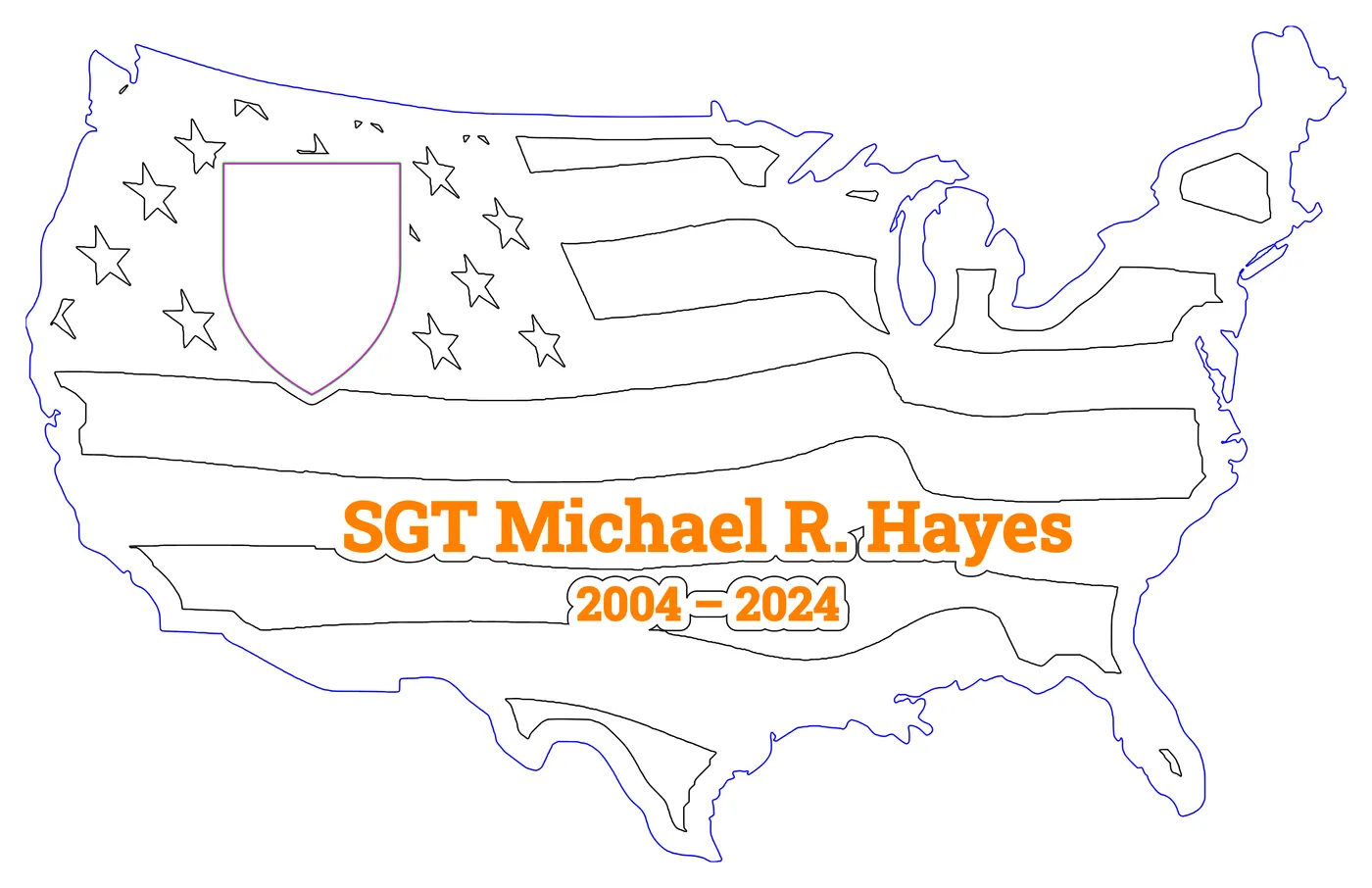
Pick a USA or flag plaque. Place the logos and the name. Export an SVG that LightBurn opens with every part on its own layer, ready to cut.
Free for 3 days. No key, no account and no card needed to try it.
Less time drawing, more time cutting
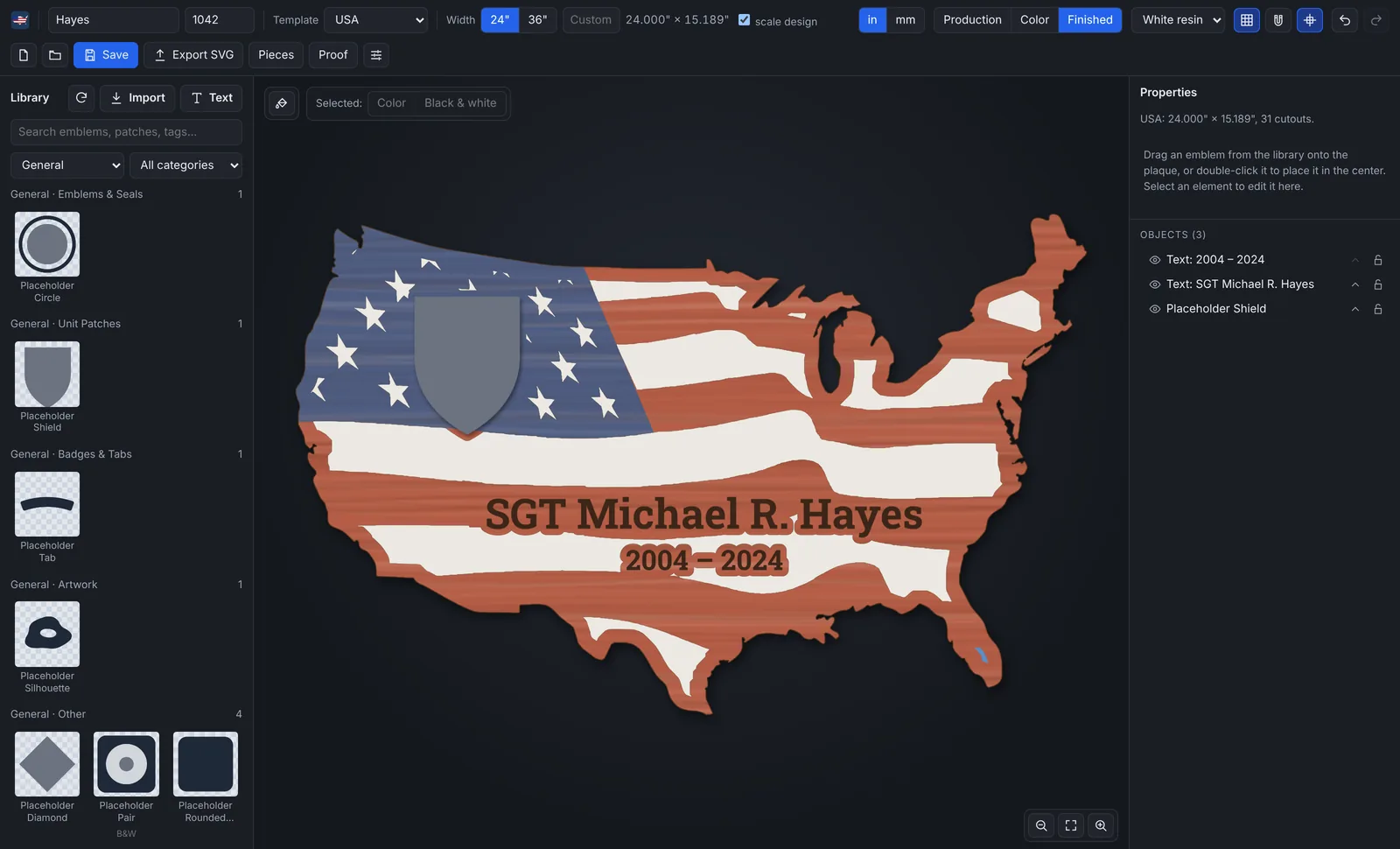
No redrawing in LightBurn
The stripes and stars are cut around every logo and name for you. Move or resize something and the wood around it is worked out again.
A proof to send first
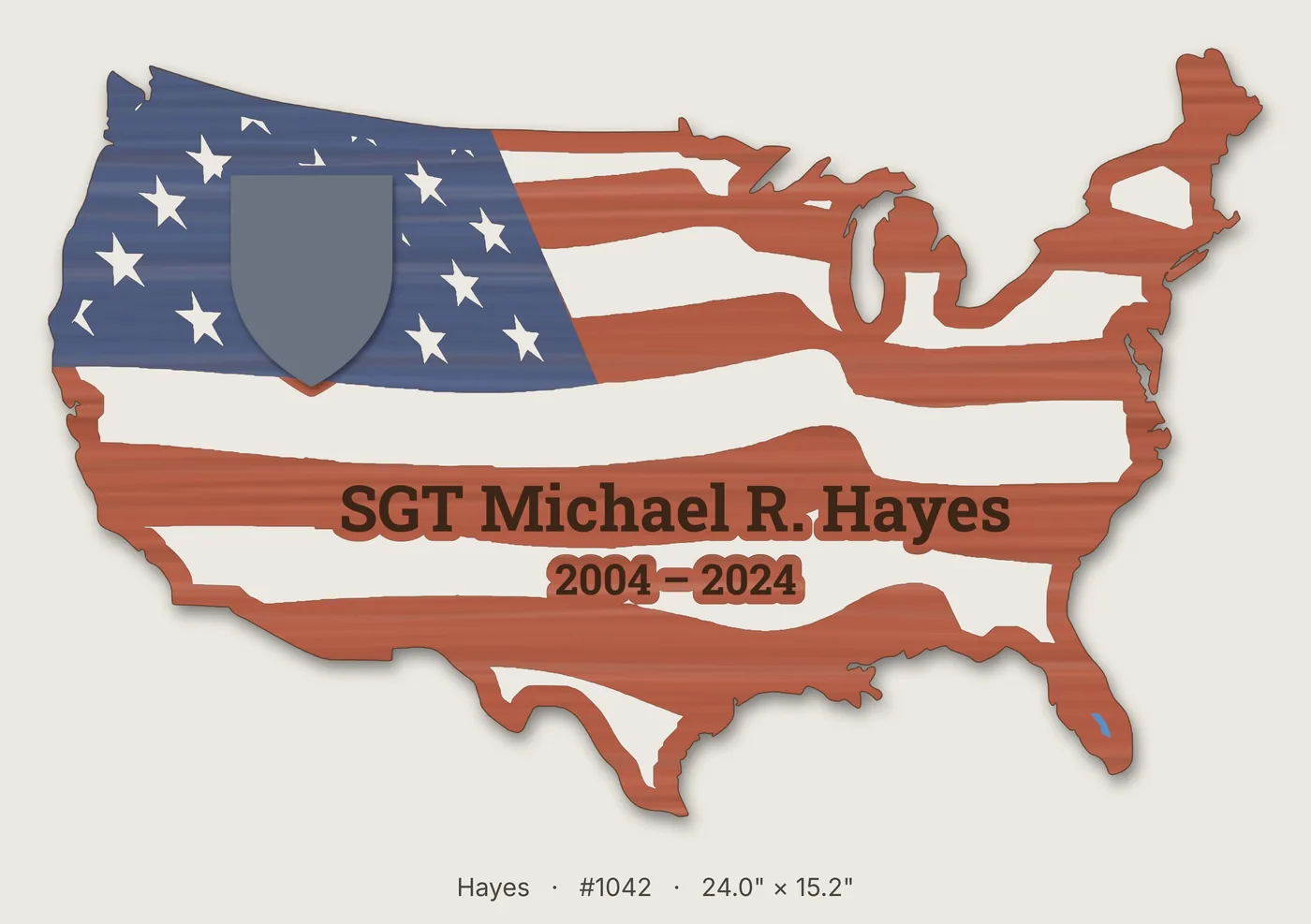
Save a picture of the finished plaque, stained and filled with resin, with the name, order number and size. Text or email it before you cut.
Files that cut true
A 24" plaque is 24.000" in LightBurn. Cutouts, outline, engraving and text each come in on their own layer color.
Checks before you cut
Thin wood, thin resin channels and pieces that would fall out are marked on the plaque before you waste a board.
Everything a USA or flag plaque needs
Every screenshot on this page is from the real app, and the proof and SVG are real files it saved.
Three plaque shapes, any width
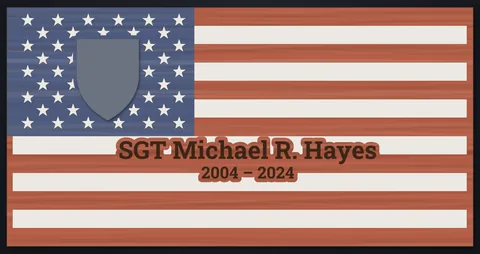
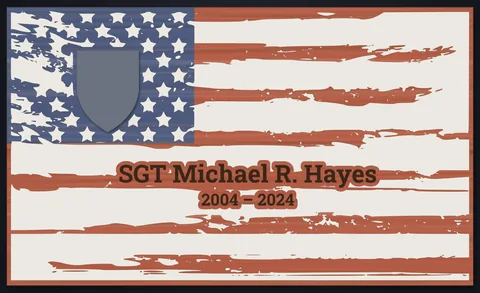
Choose the USA, a Straight Flag or a Tattered Flag. Click 24" or 36", or type your own width in inches or millimeters. The height follows the shape.
Switch shapes at any time. Your logos and names keep their size and place.
A logo library sorted by branch
Logos are sorted by branch (Army, Marine Corps, Navy, Air Force, Space Force, Coast Guard, National Guard) and by kind: emblems and seals, unit patches, badges and tabs, rank, MOS insignias and artwork. Search by name.
The shared logo library grows on its own. New logos we publish show up in every copy of the app, with a small "shared" mark. That includes MOS insignias for the Marine Corps.
Each logo starts at a sensible size for its kind. Drag it onto the plaque or double-click it.
Screenshot for Mike to choose: the app's library panel with real logos, filtered to one branch (for example Marine Corps, MOS Insignias), next to a plaque that uses two of them.
Mike picks the logos, as the library artwork is licensed.
Your own logos and pictures
Import SVG, PNG or JPG files. A JPG of a logo on a white background gets its background made see-through for you, and the dialog shows the result before you save it. Pictures need at least 1000 pixels on their longer side, so they engrave cleanly.
Your logos live in a library folder on your PC. Put that folder in Google Drive, OneDrive or Dropbox and you can add logos from your phone.
Need a different color? The paint bucket changes one color of an SVG logo everywhere it is used, for example a black shield instead of olive green.
Suggested shot: the Import dialog with one of Mike's own logo pictures (a JPG on white), showing the see-through background on the checkerboard.
Names in 56 fonts
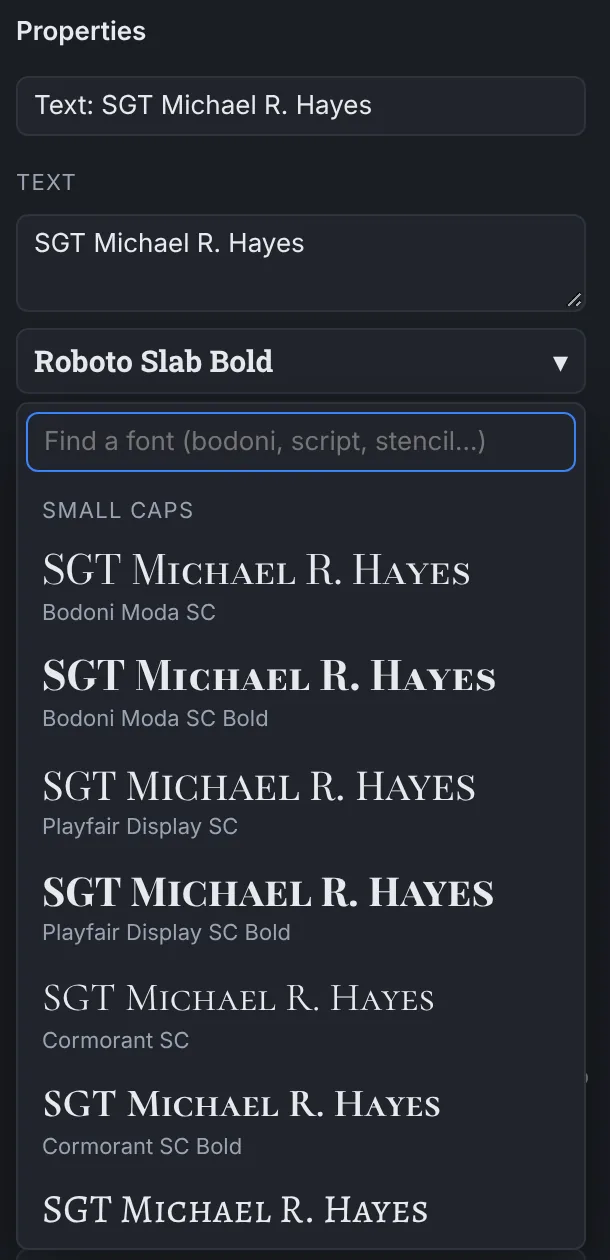
The Text button adds a name, a rank, dates or a motto. The font list shows your own text in every font, grouped as small caps, stencil, slab, serif, sans, condensed, script, blackletter and display.
Set the letter height as the height of the capitals (3/4" means 3/4"). Type SGT John A. Doe in a small caps font and the lowercase letters come out as small capitals.
You can add your own TrueType or OpenType fonts too.
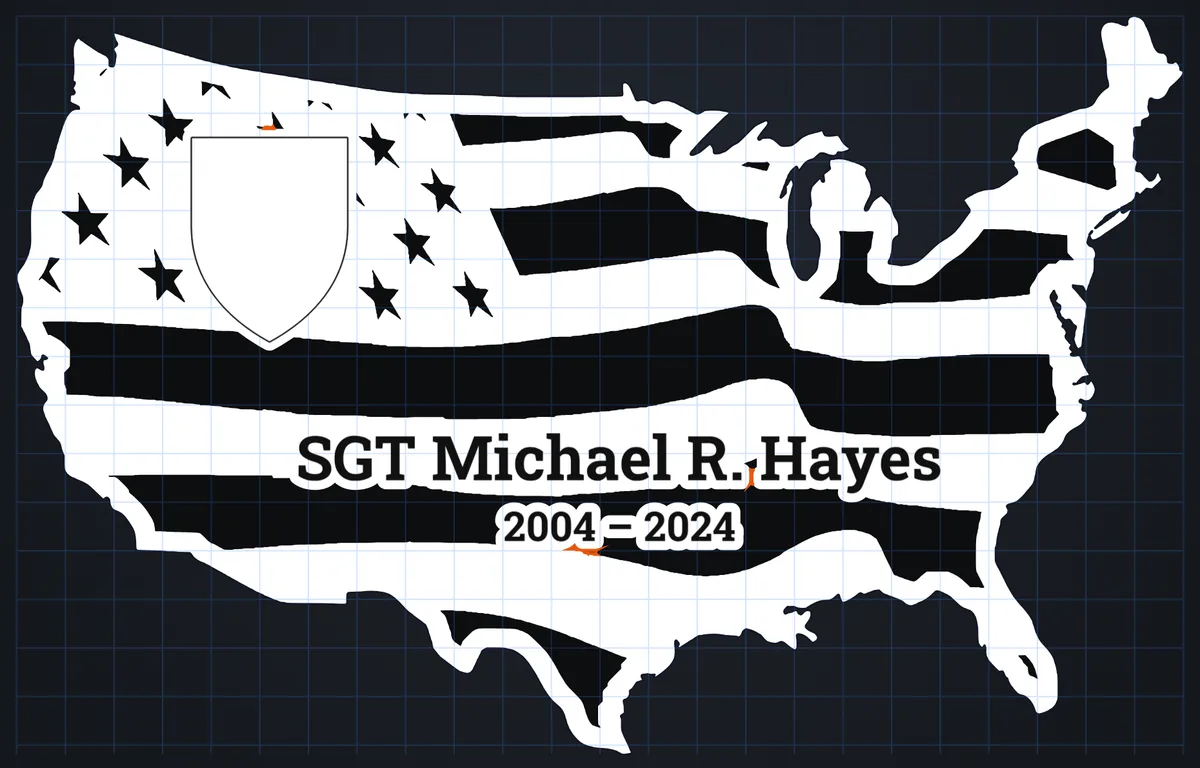
Wood islands and resin, worked out for you
Every logo and name sits on solid wood: its outline grown by 3/16" (or the width you set). The stripe and star cutouts under it are recut around it, and scraps too small to fill become wood.
The Production view shows the plaque as it will be made: black is engraved or cut out and filled with resin, white is wood.
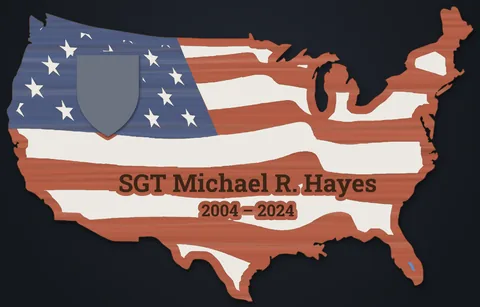
See it finished, in your resin color
The Finished view shows the plaque as your customer will see it: the canton stained blue, the wood between the stripes stained red, and resin in the stripes and stars. Choose white, silver, black, red or blue resin. Each logo can show in Color (a glued-on piece) or Black & white (burnt into the stained wood).
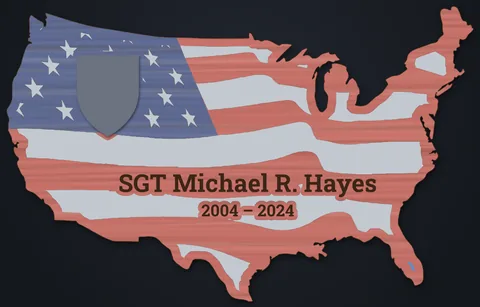
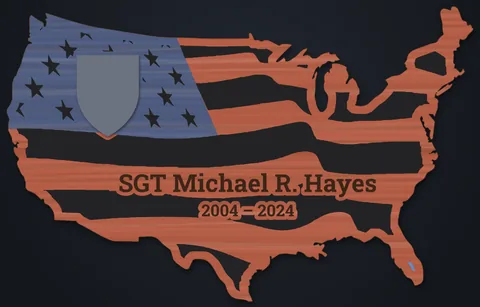
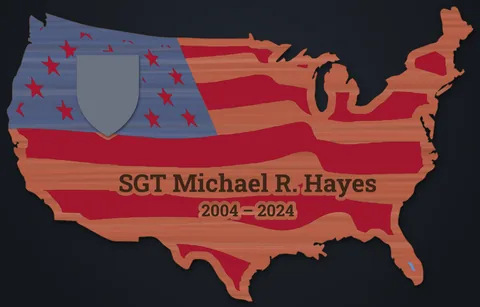
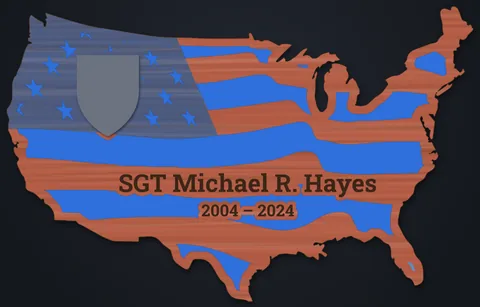
A proof picture for the customer
Proof saves a JPG of the finished plaque on a light wall color, with the name, order number and size underneath. It is 3000 pixels wide: sharp on a phone and small enough to email.
An SVG that LightBurn sorts for you
Export SVG puts each kind of line on its own color, and LightBurn turns each color into a layer: cutouts, plaque outline, logo engraving, pictures, text, logo cut lines, backer pieces and score lines.
Set Line, Fill or Image and your speeds and powers once in LightBurn. You can change which layer color each part uses in the app's Settings.
Pieces sheet
Pieces lays every logo out side by side with its cut line and engraving, to cut from spare stock and glue on.
Checks
Wood bridges and resin channels thinner than 3 mm, loose wood and anything past the plaque edge are marked. Click a warning to go to it.
Nothing lost
Unsaved work is kept and comes back when you open the app again. A saved plaque carries its artwork, so it opens on any PC.
Exact sizes
Drag, or type exact values. Fields take 3/16", 1 1/2 or 12mm. Undo, duplicate, flip, lock and nudge with the arrow keys.
Your layer settings
Choose the LightBurn layer color, name and order for each kind of output, the starting stroke and the check limits. Save them to a file to move to another PC.
Works offline
After the one-time activation, the app runs without internet. It checks in now and then, and picks up new shared logos when you are online.
Three steps from order to laser
-
Pick the plaque
Choose USA, Straight Flag or Tattered Flag, and 24", 36" or your own width. Type the customer's name and order number at the top.
-
Add logos and names
Drag logos from the library, import the customer's own artwork, and add the name with the Text button. Send a Proof if you like.
-
Export and cut
Click Export SVG and open the file in LightBurn. Turn on the layers for each board, set your speeds and powers, and run it.
One price. Yours to keep.
$149one time
- All future updates included
- Use it on up to 3 PCs
- 3-day free trial first, no key needed
- No subscription and no account
- Key sent by email right after you pay
Secure payment through Stripe. We never see your card number.
Mike's product photo: a finished 24" USA plaque made with the app, hanging on a wall or on the shop bench, in daylight, straight on. Wood grain, stain and resin should be easy to see.
Common questions
Do I need LightBurn?
Yes. USA Plaque Designer lays out the plaque and saves an SVG file. You open that file in LightBurn to run your laser. LightBurn is sold separately by LightBurn Software.
Does it work with my laser?
If LightBurn runs your laser, you can cut the file. The app only makes the SVG. Check that your bed fits the plaque size you pick.
Does it need the internet?
Only to activate your key once, to check in now and then, and to get new shared logos. The rest works offline.
How many computers can I use?
Up to 3 PCs at a time with one key. To move it, deactivate it on the old PC first. How to move a key.
Try it on your next order
Install it free, lay out a real plaque and cut it. If it saves you time, buy a key.